Introduction
Missed patient appointments, or “no-shows,” are a silent but significant drain on the financial health and operational efficiency of medical practices in Houston and across the country. The U.S. healthcare system loses an estimated $150 billion annually to no-shows, with individual practices in the Houston area potentially losing thousands monthly. Every empty time slot represents lost revenue, wasted staff time, and a delay in patient care. For busy clinics managing patient schedules in a vibrant, fast-paced city like Houston, minimizing this costly problem is paramount.
This article provides the complete guide to Patient Appointment Reminders Best Practices, specifically tailored to help Houston medical practices Reduce No-Shows Clinic wide. We will detail the most effective reminder methods and strategies—SMS, email, and phone calls—to ensure your practice maximizes efficiency and revenue retention. For a broader look at streamlining your practice’s operations, explore our Backoffice Solutions for Healthcare Practices.
Understanding the Impact of No-Shows on Your Medical Practice
The typical no-show rate for outpatient care can range between 5% and 23%, directly impacting your practice’s bottom line.
Why No-Shows Hurt Your Practice:
- Revenue Loss: Individual no-shows can cost a practice approximately $200 or more per hour in lost revenue opportunity.
- Wasted Staff Time: Administrative staff waste time preparing for a visit that doesn’t happen and then chasing down the patient for rescheduling, diverting valuable labor from critical billing and patient support tasks.
- Patient Care Gaps: Missed appointments interrupt the continuity of care, potentially delaying necessary diagnostics and treatment, which is critical for the diverse patient demographics and complex care needs common in the Houston area.
To protect your practice revenue and maintain operational sustainability, implementing effective Patient Engagement Reminders is absolutely essential, transforming passive communication into active attendance.
Overview of Patient Appointment Reminder Systems
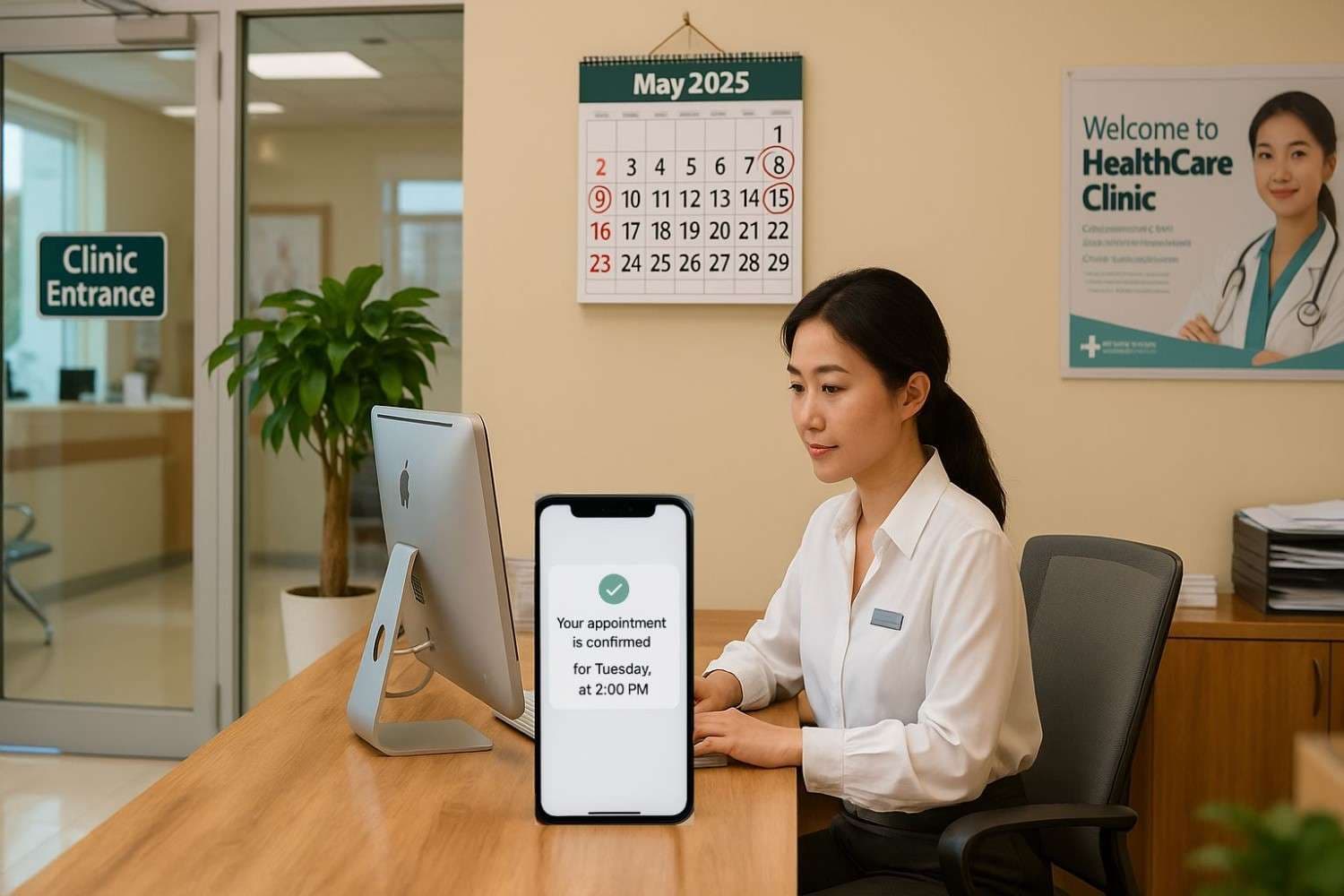
A modern reminder system is the engine of effective patient communication. These platforms automate timely, relevant communications to patients, requesting confirmation or offering rescheduling options. The most effective strategy uses a multi-channel approach involving SMS, email, and phone calls to reach the patient where they are. This approach is foundational to securing reliable Appointment Confirmations Medical practices require to optimize schedules.
SMS Reminders: Immediate and Effective
SMS (text message) reminders are the workhorse of no-show reduction. With open rates often near 98% and 95% of messages read within three minutes, text is the most direct communication channel.
SMS Best Practices:
- Optimal Timing: Send the primary reminder 24–48 hours before the appointment. A brief, second reminder 2–3 hours before the time can prevent last-minute memory lapses.
- Content and Tone: Messages must be concise and actionable. Include the practice name, patient name (for personalization), appointment details, and a clear request for confirmation.
- Actionable Confirmation: Crucially, include a simple “Reply Y to confirm” or an easy-to-use link. This two-way communication makes SMS a key Patient Appointment Reminders Best Practices component, highly effective for practices trying to Reduce No-Shows Clinic wide.
- Compliance: Always ensure you have documented, explicit patient consent (opt-in) for text communications, adhering to all HIPAA privacy considerations.
Email Reminders: Professional and Detailed
Email provides a professional channel for sharing detailed information that SMS cannot.
Email Best Practices:
- Timing: Send email reminders 3–5 days before the appointment.
- Content: Use email to include comprehensive instructions, such as links to pre-check-in forms, parking information for your Houston clinic, insurance reminders, and detailed preparation instructions e.g., fasting requirements.
- Clarity: Use a clear subject line that prompts action. The email should secure Appointment Confirmations Medical staff can track while providing maximum support for the patient’s visit.

Phone Call Reminders: Personal Touch and High Confirmation Rates
While requiring more staff time, the personal connection of a phone call is powerful. Phone calls yield the highest confirmation rates, especially for high-risk cancellations, complex procedures, or first-time patients who may need assistance navigating the urban environment.
Phone Call Best Practices:
- Strategic Use: Reserve personal calls for high-value or high-risk patients.
- Scripting: Staff should use an empathetic, standardized script to confirm the appointment, clarify preparation, and address any potential barriers.
- Follow-Up: A quality phone call serves as the ultimate Patient Engagement Reminders tool, as it allows for real-time problem-solving and establishes a strong personal connection.
Timing and Frequency: Getting the Reminder Schedule Right
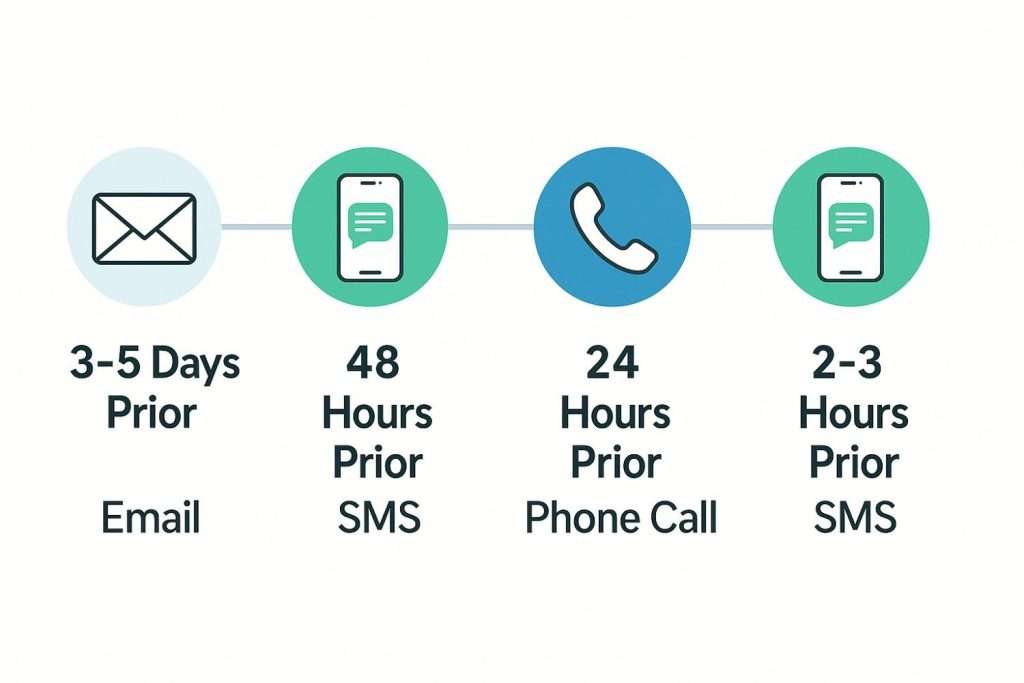
The frequency and timing of reminders are critical to avoiding both forgetfulness and patient fatigue. The goal is a strategic, multi-touch sequence.
Optimal Multi-Touch Sequence:
- 3-5 Days Prior: Detailed Email (info, forms).
- 48 Hours Prior: Primary SMS (confirmation request).
- 24 Hours Prior: Targeted Phone Call (high-risk patients) or follow-up email.
- 2-3 Hours Prior: Final, brief “See you soon!” SMS confirmation.
This layered approach is a core pillar of Patient Appointment Reminders Best Practices, maximizing the likelihood of attendance and helping Reduce No-Shows Clinic schedules endure.
Tone and Personalization: Creating Effective Messages
Your messages must be professional, personalized, and empathetic. Generic, automated-sounding messages are easily ignored.
Messaging Guidelines:
- Personalize: Always address the patient by name, and include the provider’s name and the specific appointment type.
- Clarity: Use plain language. For Houston’s diverse population, consider language accessibility and cultural sensitivity in messaging.
- Action-Oriented: The message should clearly state what is needed e.g., “Reply CONFIRM,” “Check-in here”.
- Value: Provide value beyond the reminder, such as essential parking or entry instructions. This focus on the patient’s experience strengthens Patient Engagement Reminders.
Confirmation Requests: Converting Reminders into Confirmations
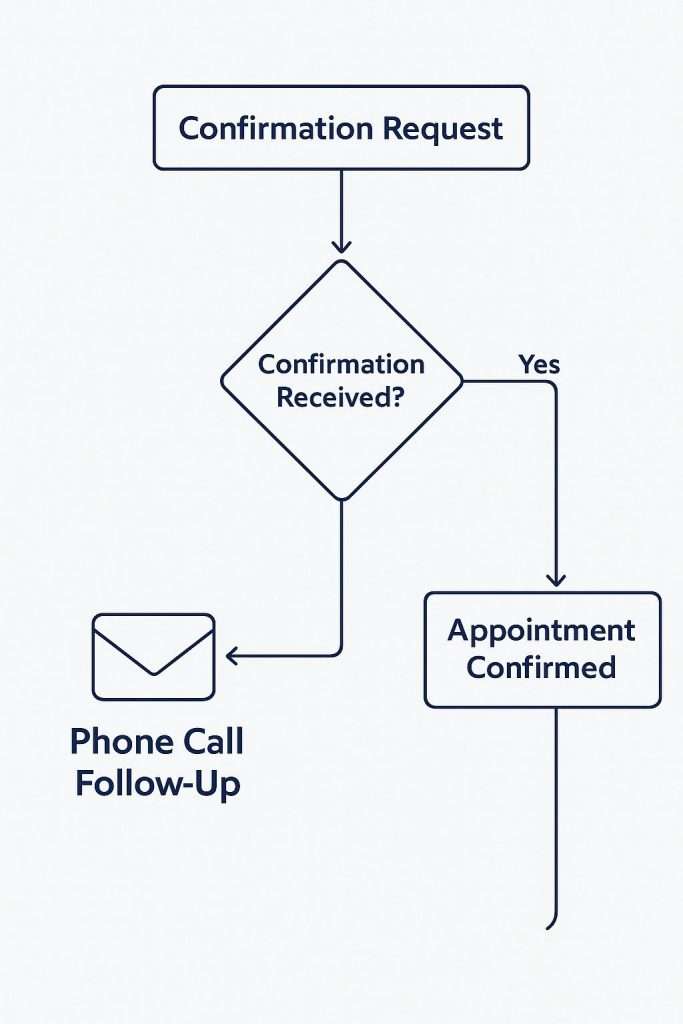
A two-way confirmation request is superior to a passive, one-way reminder. Requiring a patient to interact with the message increases their commitment to attending.
Best Practices for Confirmation Requests:
- Ease of Use: Use simple, mobile-friendly options like an SMS “Reply C to confirm” or a single click in an email.
- Follow-Up Logic: Automated systems should track non-confirmations. If no reply is received, staff should be prompted for a phone call follow-up, transforming a high-risk slot into a secured Appointment Confirmations Medical appointment or an opportunity to fill the time slot with a waitlisted patient.
This is arguably the most effective of all Patient Appointment Reminders Best Practices to actively Reduce No-Shows Clinic operations depend on.
Conclusion
Implementing a comprehensive, multi-channel strategy—one that coordinates SMS, email, and phone calls with strategic timing, an empathetic tone, and explicit confirmations—is the most effective way for medical practices to Reduce No-Shows Clinic rates. This layered approach can reduce no-shows by 30% or more, translating directly into stabilized revenue, more efficient resource utilization, and improved patient health outcomes for practices in the Houston area.
The difference between a frustrating no-show rate and a predictable, efficient schedule lies in embracing these automated, patient-centered Patient Appointment Reminders Best Practices.
To take the guesswork out of implementing and managing a best-in-class patient engagement system, we’re here to help.
Improve Scheduling: Learn About Our Appointment Scheduling Services.
Next step
See how Synectus closes the handoff after the lead arrives.
If this article describes the exact gap inside your clinic, go one layer deeper into the service stack or book a direct strategy call with Synectus.